
Native macOS cleaner for developers
The Mac cleaner
that shows its work.
Clean caches, build artifacts, and app remnants.
Every file traced to a named safety rule.
brew install --cask inceptyon-labs/tap/gargantua - AGPL-3.0
- Telemetry-free
- Apple Silicon, macOS 14+
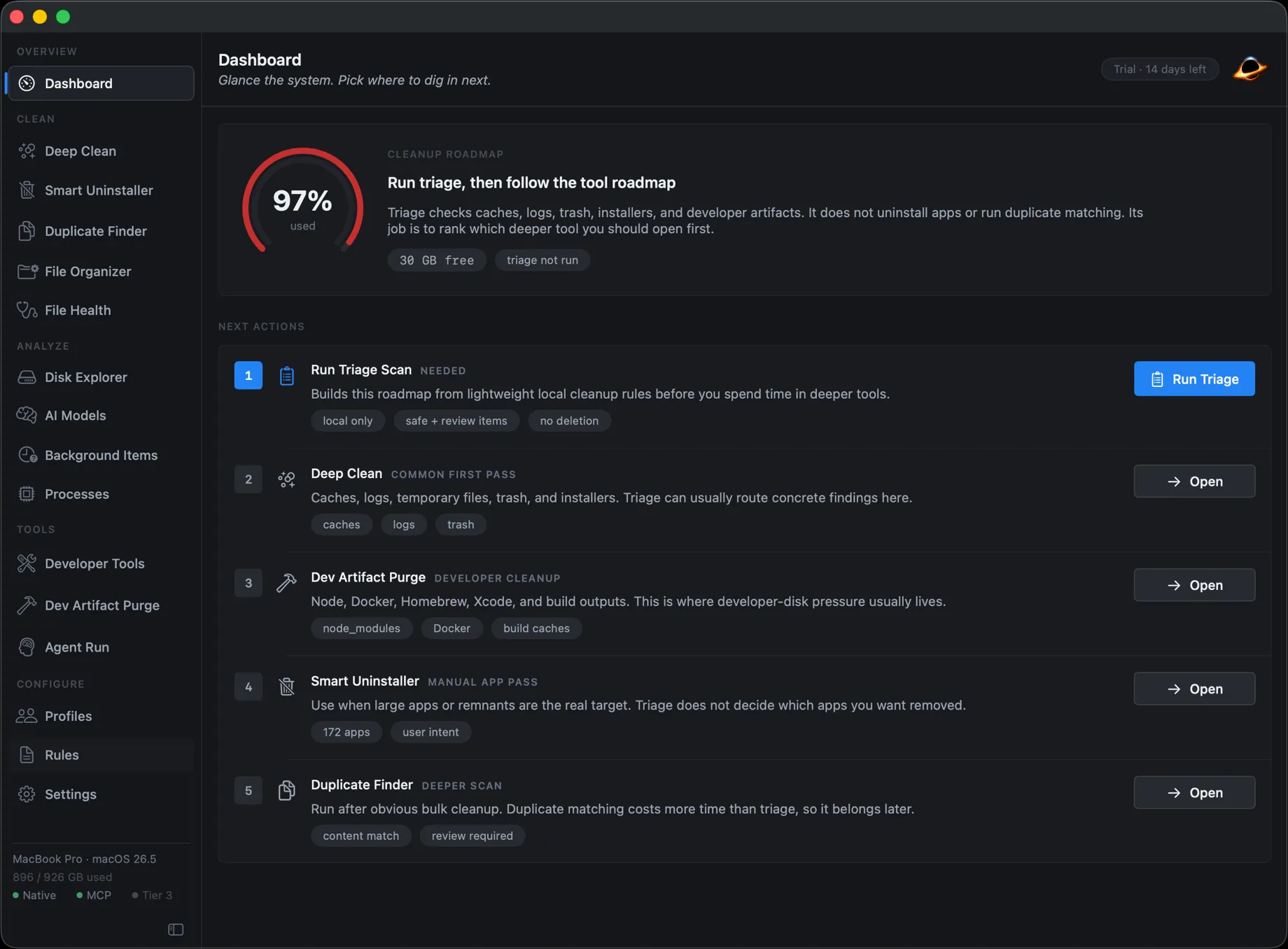
Most cleaners want you to trust a number.
The category runs on one move: surface a big “1,000 junk files found” figure, a reassuring checkmark, and a Clean button. You never see which files, where they live, or why removing them is safe, so the number is the only thing you have to go on, and you can't check it.
That is a bad deal for anyone who knows what lives under ~/Library. Gargantua takes the opposite position: nothing is removable until you can see the evidence.
Typical cleaner
1,000
junk files found
- Which files? Hidden.
- Why safe? Marketing copy.
- Reversible? Permanent delete.
Gargantua
382
rules in the current build, all public on GitHub
- Every item names its rule.
- Rating set before any UI sees it.
- Trash-first, with an audit log.
Every file gets one of three ratings.
Every finding is graded safe, review, or protected by its rule, ahead of any UI. Color is the rating. Here is what a real scan looks like.
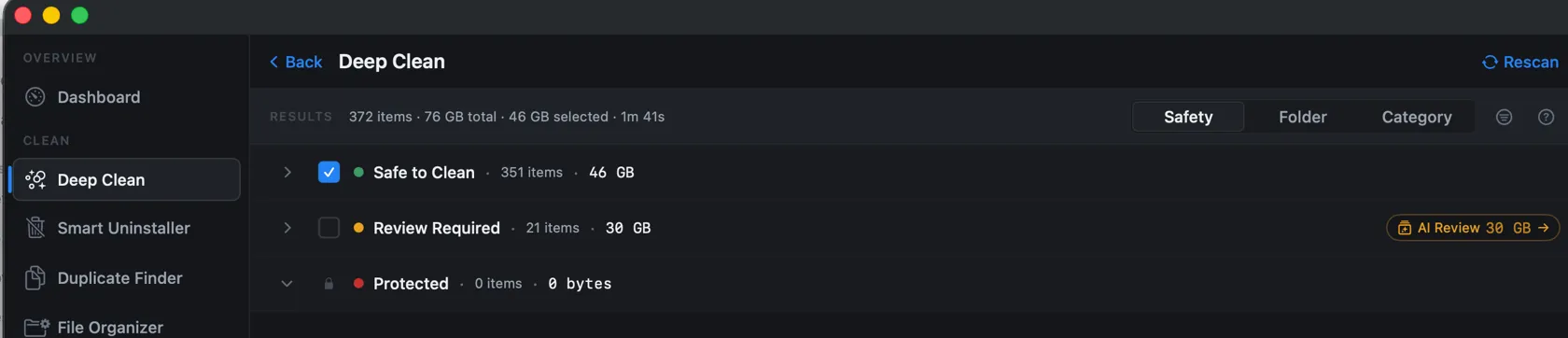
Disposable, regenerates on demand. Preselected in cleanup flows.
Might hold state worth a look. Shown and explained, never auto-selected.
System impact or data-loss risk. Visible, but destructive flows hard-reject it.
Open a group and every item carries its own evidence: the rule it came from, the commit it shipped at, the exact path and size, and a confidence score. The three rows below are real rules; click one to read it on GitHub.
- Xcode DerivedData safe
Build intermediates and indexes. Rebuilt automatically on next build.
~/Library/Developer/Xcode/DerivedDatadeveloper/xcode.yaml @5e75aa718.4 GB - Go Binaries review
Binaries installed via 'go install'. Restored by reinstalling each tool.
~/go/bindeveloper/go.yaml @5e75aa7412 MB - MobileSync Device Backups protected
Local iPhone and iPad backups can contain irreplaceable user data. Gargantua must not treat them as cleanup.
~/Library/Application Support/MobileSync/Backupsystem/mobile_installers.yaml @5e75aa727.9 GB
Optional on-device or cloud AI can elaborate on any rating. It can never lower one: a protected item stays protected no matter what a model says.
More than a cache cleaner.
It cleans the places a developer's Mac actually fills up: Xcode data, package-manager caches, Docker leftovers, app support files, and duplicates. Everything goes through the same rating layer first.
-
Deep Clean
Browser and app caches, logs, temp files, Trash, installers, and language build caches, all rule-driven.
-
Dev Purge
A narrow scope locked to developer artifacts, so a routine sweep can't widen into a full scan.
-
Developer Tools
Tool-native previews for Homebrew, Docker, Xcode simulators, pnpm, Go, and Cargo.
-
Smart Uninstaller
Removes an app plus the launch agents, preferences, and support files it leaves behind.
-
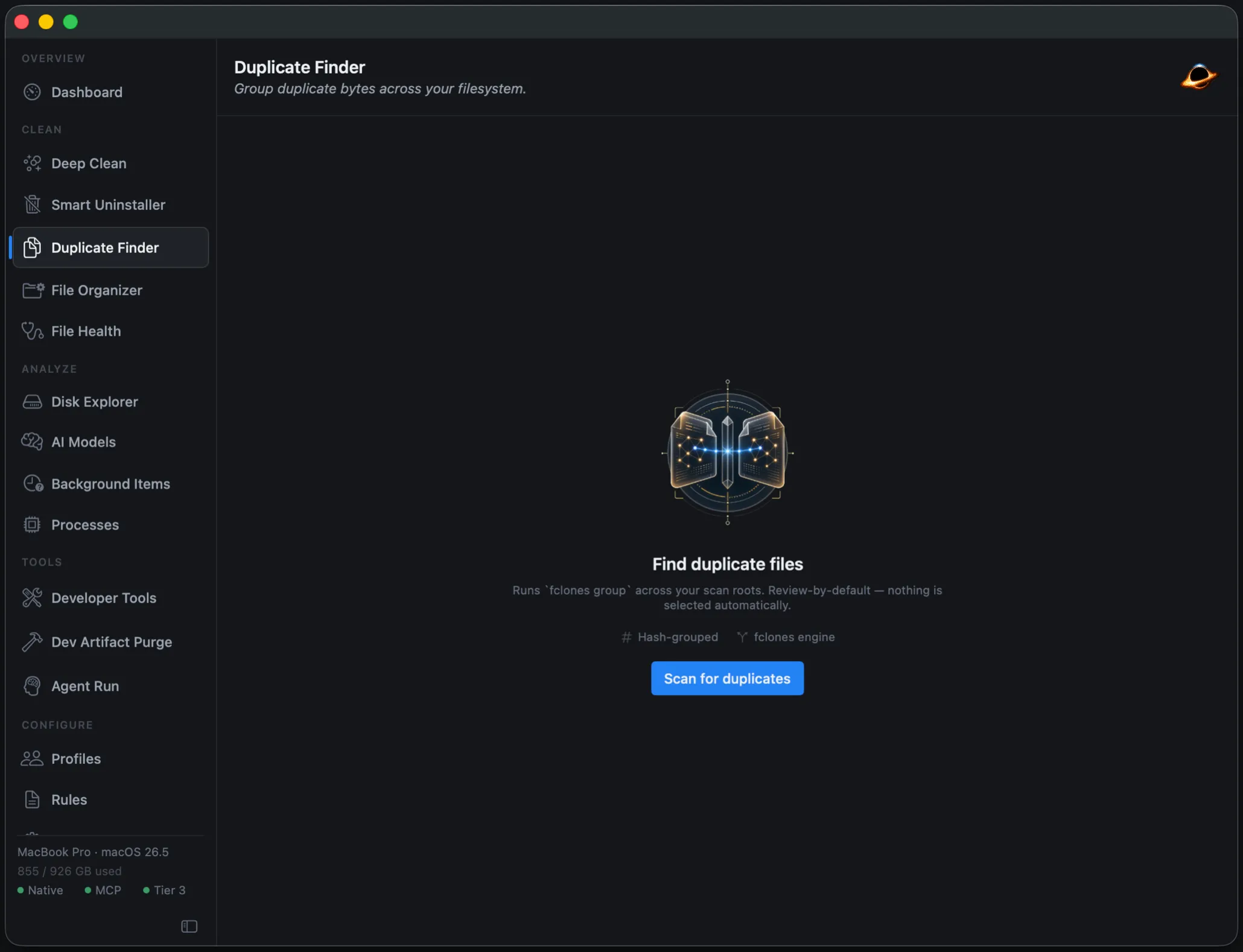
Duplicate Finder
Groups duplicate bytes across your scan roots, backed by fclones. Review by default.
-
File Health
Empty files, oversized files, near-duplicate images, and broken symlinks, via czkawka.
-
File Organizer
Clusters loose files locally by type and date, then lets a model name the groups.
-
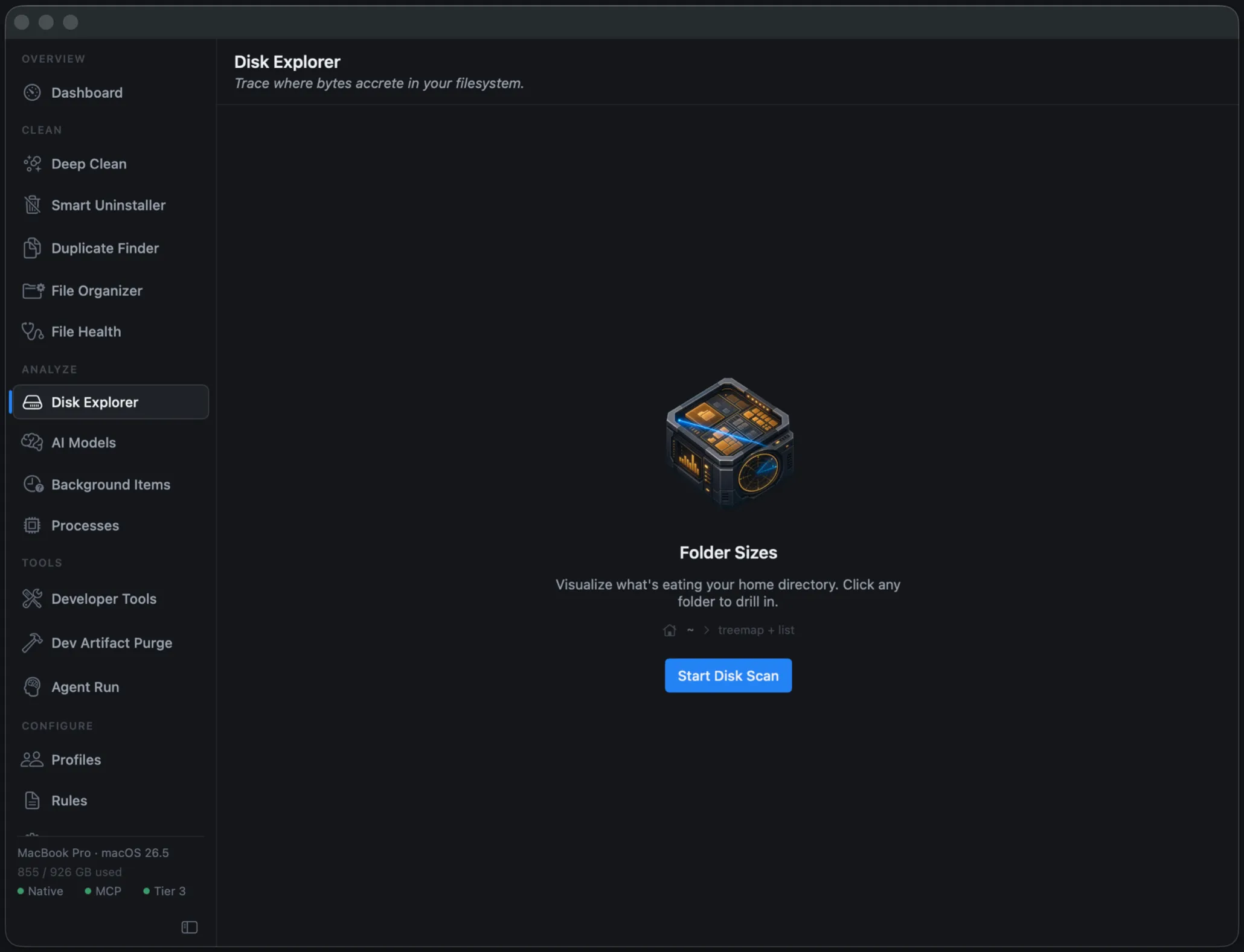
Disk Explorer
An interactive treemap to trace where bytes accrete before you remove a thing.
-
Background Items
Audit the launch agents, daemons, and login items that start with your Mac.
-
Processes
A live look at what's running right now and the CPU and memory it's holding.
-
AI Models
A review-only profile for downloaded LLM and diffusion model storage, where re-downloads are costly.
-
Scheduled Scans
launchd-backed background scans on an interval or cron, with skip-on-battery.
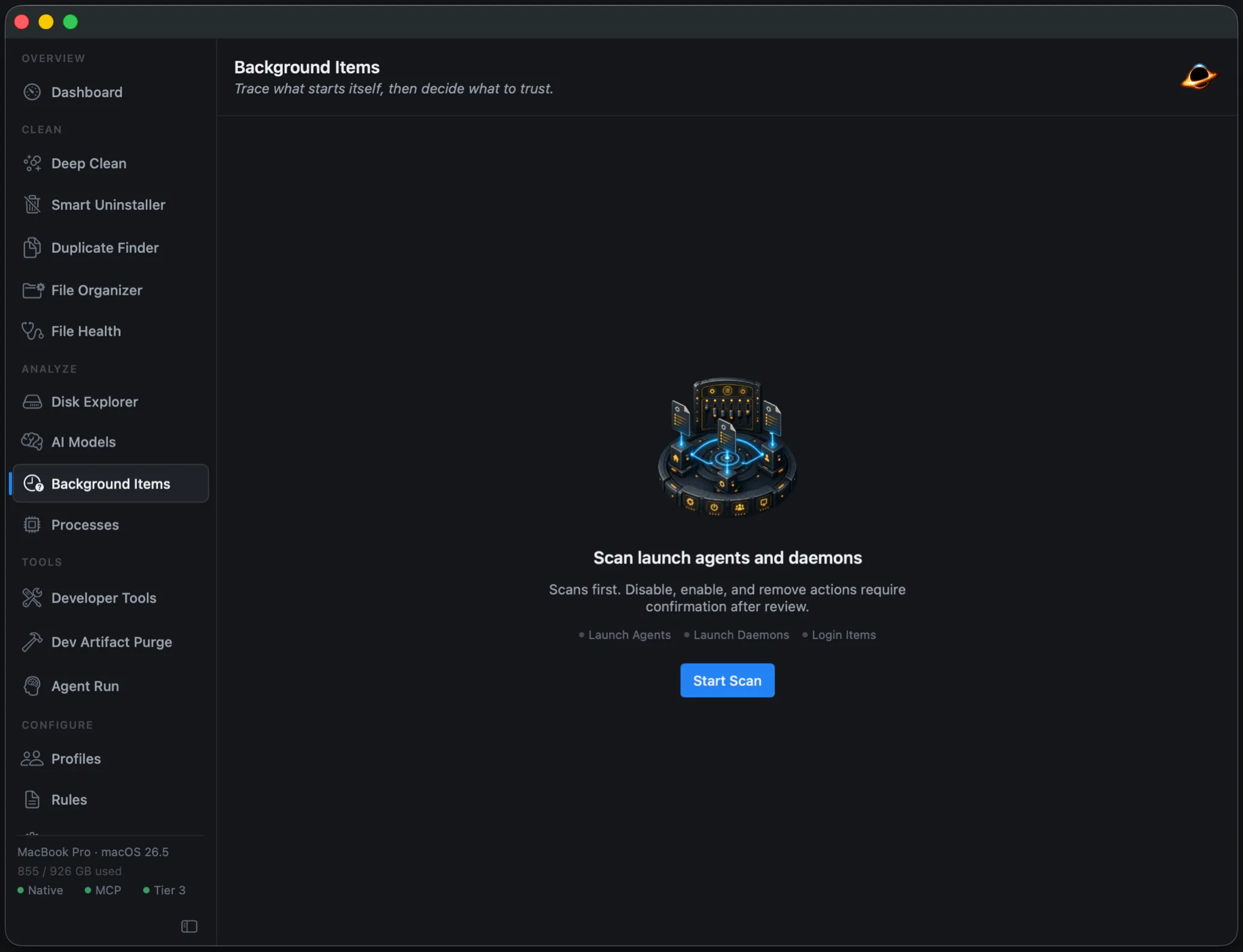
Built for a developer's Mac.
Cleanup that speaks your toolchain
Gargantua doesn't blindly delete directories. For Docker, Homebrew, Xcode, and your language toolchains, it runs each tool's own commands and parses their output before it previews a single byte.
- Docker
- Homebrew
- Xcode
- pnpm
- Go
- Cargo
docker system df --format json # parse, don't guess xcrun simctl delete unavailable pnpm store prune go clean -cache go clean -modcache Local-first, telemetry-free
The default explainer needs no network and no model. Optional local MLX inference runs entirely on Apple Silicon. Nothing phones home, ever.
Trash-first, fully audited
Cleanup prefers the Trash over permanent delete, and every destructive attempt writes a record to an audit log you can read.
Community-reviewed rules
Cleanup logic is a public, versioned ruleset, not a vendor secret. Each bundled rule records the exact upstream commit it shipped from.
Ask why a file was flagged.
Every finding already carries a plain-language reason from its rule. Want more, a summary of a whole scan, a comparison, the reasoning behind a rating? Layer on a local model or your own cloud account. The default needs neither.
Template
On by defaultPlain-language explanations straight from each rule's own metadata. No model, no network, no wait.
Nothing to install
Local MLX
Opt-inA small Llama model runs on Apple Silicon for richer summaries. Loads on demand, unloads when idle.
~700 MB, on your Mac
Cloud (Anthropic)
Opt-inBring your own Anthropic key for Claude-grade reasoning. Paths and sizes only; file previews stay off until you allow them. Hard monthly spend cap.
Key in macOS Keychain
Claude Code Agent
Opt-inHand a scan to the Claude Code CLI for hands-off maintenance runs. Read-only tools by default; destructive ones need an explicit grant.
CLI manages its own auth
One rule across all four: a model can explain a rating, never lower it. A protected finding stays protected no matter what any model, local or cloud, says about it.
Gargantua vs. a typical cleaner
-
What you delete
Typical cleaner
“1,000 junk files found,” opaque
Gargantua
Every item traces to a named rule with a safe / review / protected rating
-
Why it's safe
Typical cleaner
Marketing copy
Gargantua
Per-item explanation from the rule's own metadata; AI can elaborate, never downgrade
-
Who writes the rules
Typical cleaner
Vendor, behind closed doors
Gargantua
Public, reviewed PRs; every bundled rule records its upstream commit
-
Automation
Typical cleaner
A button in a GUI
Gargantua
A local MCP server: Claude, Cursor, or Claude Code can run guarded cleanups
-
AI
Typical cleaner
Cloud, with your data
Gargantua
On-device by default; cloud is opt-in, redacted, and spend-capped
-
Reversibility
Typical cleaner
Permanent delete
Gargantua
Trash-first, with an audit log for every destructive attempt
-
Source
Typical cleaner
Proprietary
Gargantua
AGPL-3.0: swift build produces a fully unlocked binary, no trial
Drive it from Claude Code or Cursor.
Gargantua ships a local Model Context Protocol server. Point Claude Code, Cursor, or Claude at it and they can run scans and cleanups for you. No other Mac cleaner lets an agent do that.
The catch that makes it safe: tools are split into two registries. Read-only calls are always available. Destructive calls require an explicit grant, bearer-token auth, and per-client rate limits, and a protected item is rejected before the tool ever runs.
- scan_status
- list_findings
- explain_rule
- preview_cleanup
- run_cleanup
- empty_trash
agent > free up space from old build caches
→ preview_cleanup(profile: "dev-purge")
12 findings · 18.4 GB reclaimable · safe
→ run_cleanup(scope: "dev-purge", confirm: true)
✓ 18.4 GB moved to Trash · audit record written
→ run_cleanup(path: "~/Library/Keychains")
✗ rejected · path is protected, not removable by any caller
The protected-roots policy is bundled and deterministic, so the same rejection applies whether the request comes from you or from a model.
// pricing
Build it free, or buy the signed app.
Scans always run free. The license only gates the execution of destructive actions in the prebuilt app. Build from source and even that is unlocked, forever.
Build from source
AGPL-3.0Free forever
Clone the repo, run swift build, and you get a fully unlocked binary. The whole app, no asterisk.
- Every scan, every profile, every rule
- The full MCP server and agent automation
- Local + cloud AI explainability
- No trial, no nag, no expiry
One-time license
Launch special · 34% off$29 $19 one-time
Save $10 — limited-time launch pricing
Skip the toolchain. Get the signed, notarized build with Sparkle auto-updates, and unlock one-click execution of destructive cleanups.
- One-click execution of destructive cleanups
- The signed, notarized, auto-updating build
- Scheduled background scans
- Support the project directly
Or just install the app:
brew install --cask inceptyon-labs/tap/gargantua Before you install
Is it actually free, or is that a trial?
Building from source is free forever under AGPL-3.0, and that binary is fully unlocked, no trial, no nag. Scans always run free even in the prebuilt app. The $19 one-time license only unlocks the execution of destructive cleanups in that prebuilt build.
What does the cloud AI actually send?
Nothing, unless you turn it on. The default explainer is rule-based and needs no network. If you enable cloud AI with your own Anthropic key (stored in the macOS Keychain), it sends paths, sizes, and classifications only. File-content snippets stay off until you flip an explicit toggle, and they are capped at 4 KB and redacted for tokens and keys. There is a hard monthly spend cap.
Can it delete something it shouldn't?
The trust layer is built to stop exactly that. A bundled protected-roots policy hard-blocks cleanup at sensitive locations regardless of any rule, and no model, local or cloud, can lower a rating. Cleanup prefers the Trash over permanent delete, and every destructive attempt is written to an audit log.
How do I uninstall it?
It is a standard Mac app. Remove it with brew uninstall --cask gargantua , or drag it to the Trash. Gargantua's own Smart Uninstaller can also clean up the support files and launch agents an app leaves behind, including its own.
Does it phone home?
No. There is no telemetry and no analytics. The default engine runs entirely on your Mac, and local MLX inference, if you enable it, never leaves the device.
Which Macs does it run on?
Apple Silicon (M1 or newer) on macOS 14 Sonoma or later. Updates arrive in-app through the signed Sparkle channel.
Still deciding? The source is on GitHub, so you can read exactly what it does before it touches a file.
One line to install.
Homebrew handles it. Updates arrive in-app through the signed Sparkle channel.
brew install --cask inceptyon-labs/tap/gargantua - Apple Silicon M1 or newer
- macOS 14+ Sonoma or later
- Signed & notarized Sparkle auto-updates